Get your AI tools working with triSearch
Connect in minutes. Try it first with cached demo searches, then go live through your triSearch account.
Choose your setup path
EXISTING TRISEARCH CLIENT
Connect to the MCP endpoint
Already have a triSearch account?
Use the endpoint below to connect your agent and start placing orders right away.
MCP Endpoint (Standard)
MCP Endpoint (Search and Invoke — for limited-context agents)
GENERATE API KEY
NEW TO TRISEARCH
Create your account today
Not our client yet?
Set up a triSearch account and accept the terms. Your MCP access activates right away, and you can start placing demo orders once you’re ready.
Your first search in four steps
01.
Create your account
Sign up and accept the terms. Your MCP access is set up automatically.
02.
Get your MCP URL
03.
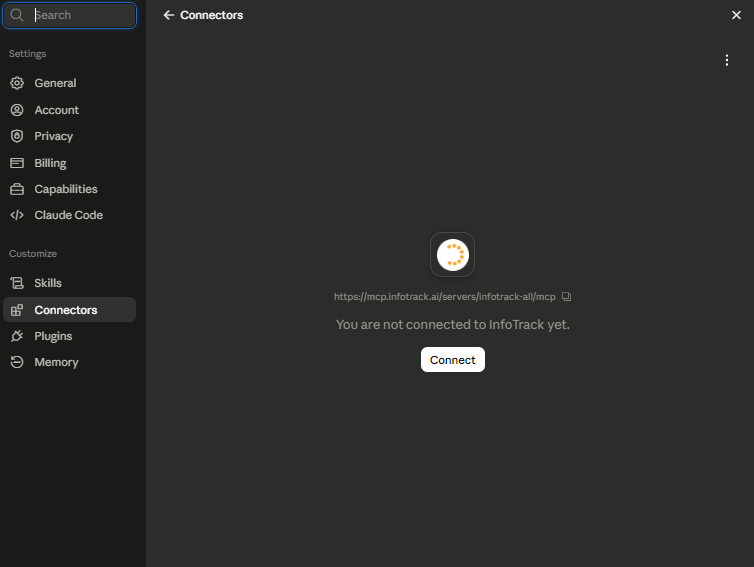
Connect to Claude
Click the Add to Claude link, press Connect, and sign in with your triSearch credentials. Your tools load automatically.
04.
Run a demo search
Use a demo client reference (DEMO-001, DEMO-002, or DEMO-003) to run test orders at no cost. Switch to your own client reference when you’re ready to go live.
Demo searches, free to run
Demo searches work exactly like live orders, just without the cost, so you can test your full workflow before you place a real one.
Use one of the demo client references below to run them.
Demo orders only work under one of these references. Use any other reference and the order runs live and you will be charged.